
Give every task a home.
Keep client work, research, and personal browsing in separate profiles, each with its own browser data and settings.
A browser profile manager with anti-detect controls, proxy assignments, and team access. Keep every account’s working context organized in one desktop workspace.
Available for Windows & Linux
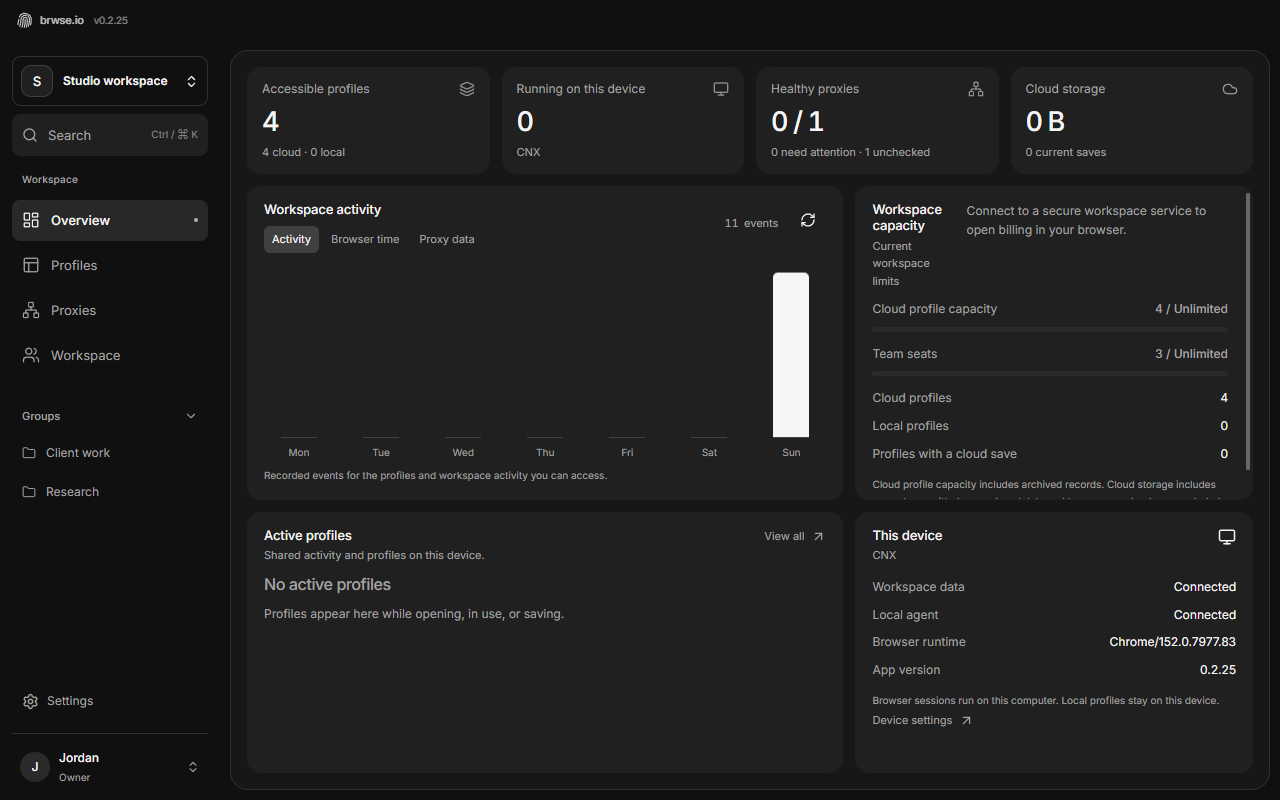
From your first profile to your whole team. Find the right browser, keep every connection organized, and pick up where you left off.
Your profiles, ready to work. Search, filter, and start a browser on your computer.
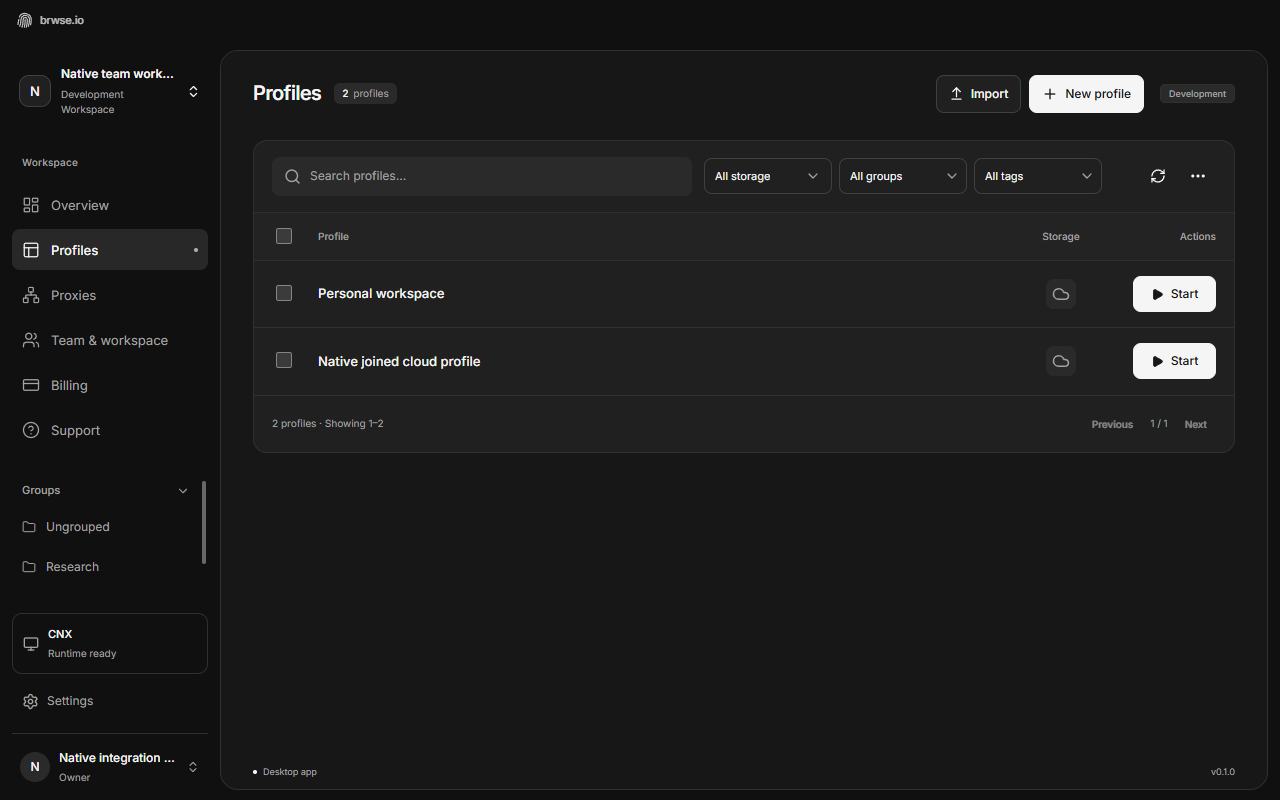
Keep client work, research, and personal browsing in separate profiles, each with its own browser data and settings.
Save profiles on your computer or use cloud profiles to carry supported browser data between compatible devices.
Explore local & cloudSet up your browser preferences, assign a proxy, and organize with groups and tags. Advanced controls are there when you need them.
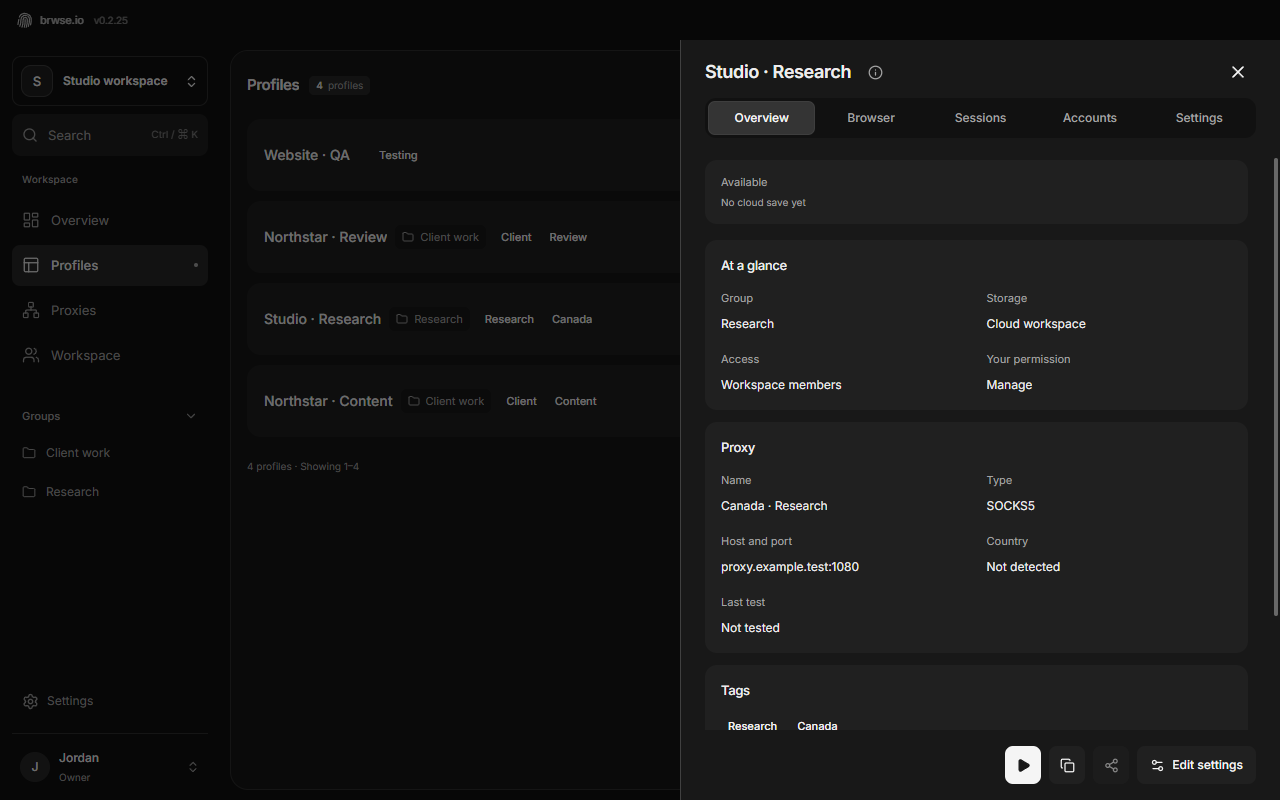
Meet your profilesBring your own proxies or purchase them in your workspace. See what’s connected and keep the details in one place.
Anti-detect browsers bring separate profiles and browser identity controls together. Understand what each layer does, then build a setup that fits your work.
brwse.io’s qualified Windows browser supports selected canvas, audio, screen, WebGL, and hardware identity controls. Support varies by runtime and operating system. No browser can guarantee anonymity or acceptance by every website.
Managing multiple accounts starts with knowing which part of your setup does what. Browser data, identity settings, and network connections solve different problems.
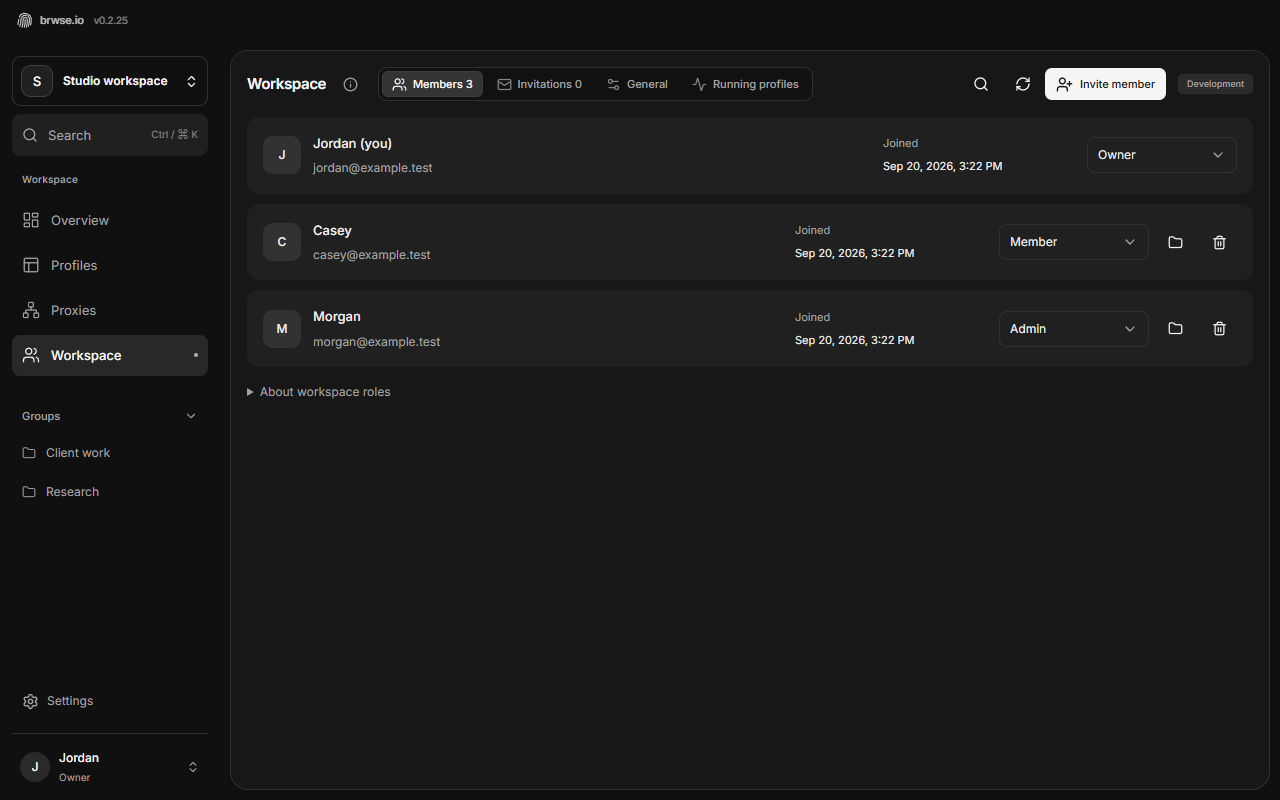
A shared workspace shouldn’t mean sharing everything. Invite your team, organize profiles into groups, and give people access to the work that’s theirs.
See how team access worksA place for everyone. Access for the right people.
Both run on your computer through the desktop app. The difference is where supported profile data is saved and how another compatible device can continue the work.
Keep the browser profile on its owning computer. A useful fit for work you return to on the same device, with separate browser data for each profile.
Compare saving optionsSave supported browser data for another compatible desktop. Close the browser and wait for its cloud save before handing it over. Windows and macOS saves restore on either system with the same browser major version.
See what syncsSupported Windows profiles sync browser-saved passwords after closing and saving. Members who can use a profile can use its saved logins, so choose group access with that in mind.
Understand saved accountsCloud saves use application-managed encryption; brwse.io can decrypt them. Payment autofill, passkeys, and device-bound sessions do not sync. Some websites may ask you to sign in again.
Cloud profiles carry supported browser data between compatible desktops. Give your team a clear handoff, with saving status that tells you when it’s ready.
Close the profile’s browser when your work is done.
Confirm the cloud save has completed before moving on.
An authorized teammate opens the profile on a compatible desktop.
A browser profile workspace for the client, store, brand, and test accounts you’re authorized to manage. Build a repeatable routine from the settings and access your work needs.
Give each client’s browser sessions a recognizable name and group. Keep the proxy assignment with the profile, then use group access to share the right projects with the teammates responsible for them.
A simple setupA client group, a profile for each work context, and access for the people on that project.
Organize your team’s profilesUse a dedicated browser profile for each brand account you manage. Descriptive names and tags make it easier to choose the intended session before opening a publishing tool, reviewing content, or checking a campaign.
A simple setupBrand names as profile names, with tags for content, reporting, and review.
Explore profile managementKeep the stores and business accounts you operate in separate profiles. Organize them by client or region, maintain their connection settings, and limit shared profile access to the teammates handling that store.
A simple setupStore groups with separate profiles for the accounts your operations team uses.
Understand group accessSeparate your product’s test accounts from everyday work. Save start URLs and supported browser preferences, label each environment, and assign a proxy when you need to review how your own site behaves through a different connection.
A simple setupDistinct test-user profiles, tagged by environment, with a recorded proxy assignment.
Check your proxy setupCompare brwse.io with Undetectable, Multilogin, GoLogin, and AdsPower. Look at how you work, what you share, and which tools you depend on.
| Browser | Workflow focus | What to consider | Read more |
|---|---|---|---|
| brwse.ioYOU’RE HERE | Organized desktop profiles, proxies, and team access | Local execution, group permissions, and supported cloud saves. | Explore |
| Undetectable | Local and cloud profile workflowsProvider documentation | How much data stays local, and how your team hands profiles over. | Compare |
| Multilogin | Automation across browser profilesProvider documentation | Which integrations your existing scripts actually depend on. | Compare |
| GoLogin | Desktop and hosted cloud browsersProvider documentation | Whether you need remote execution or local desktop sessions. | Compare |
| AdsPower | Repeated actions across profilesProvider documentation | Whether your daily work relies on synchronized actions or RPA. | Compare |
An editorial comparison by brwse.io, reviewed September 20, 2026. Features and plan limits can change. This is a workflow guide, not a detection-rate benchmark.
How much data stays local, and how your team hands profiles over.
Read the comparison
Which integrations your existing scripts actually depend on.
Read the comparison
Whether you need remote execution or local desktop sessions.
Read the comparison
Whether your daily work relies on synchronized actions or RPA.
Read the comparisonStart with one real workflow. Get its profile, connection, and saving settings right, then use the same organization as your workspace grows.
Download an available desktop build, sign in, and choose your workspace. The web dashboard can manage your workspace; launching browser sessions happens in the desktop app.
Download the desktop appCreate a profile with a name you will recognize. Choose local or cloud storage, add a group and tags, and set your start URLs. Assign a proxy if the workflow calls for one.
Follow the setup guideCheck an assigned proxy from the desktop app before relying on it. Start the profile, work in its browser, then close the session and confirm saving has finished before a cloud handoff.
Use the connection checklistConsider your cloud profile count, storage needs, and team size. Review plan allowances and proxy costs before growing your setup.
From choosing a proxy to sharing a cloud profile.
Read the guidesAn anti-detect browser combines separate browser profiles with controls for selected browser identity signals. brwse.io brings supported identity settings together with profile data, proxy assignments, groups, and team access. The controls available depend on your browser runtime and operating system.
A browser profile manager gives separate work contexts their own browser data and settings. brwse.io brings those profiles together with names, tags, groups, proxy assignments, and team access, so you can find the right context without juggling browser windows.
Yes. Browser sessions run through the desktop app on your computer. The web dashboard manages your workspace, including profile settings, proxies, team access, and billing. It does not launch browsers on a server.
A local profile stays on its owning computer. A cloud profile can share settings and supported browser snapshots with compatible desktops. Cloud saving is separate from browser runtime, and some device-bound data stays local. See the saving guide for the exact boundaries.
Yes. Add existing proxies and assign them to profiles. Check their connection from the desktop app; the latest result and synced data usage are also visible on the web. You can also buy proxies separately through your workspace’s proxy store where available.
Yes. Organize profiles into groups and use group access alongside workspace roles. This lets you share a client workspace with selected teammates while keeping other groups restricted.
No browser can guarantee that. brwse.io gives you separate profile data, proxy assignments, and supported browser identity settings. Websites can also use account activity and other signals. Our guides explain the current capabilities.
A profile can run without an assigned proxy using your normal connection. Add a proxy when your workflow needs a particular connection route. Separate cookies do not automatically mean different public IP addresses, and sharing a proxy does not merge the profiles’ browser data.
One person uses a cloud profile at a time. Close its browser and wait for the cloud save to finish before a teammate opens it on a compatible desktop. Each person also needs the appropriate workspace and group access.
Start by recreating one representative profile in brwse.io, assigning your proxy, and signing in to the accounts you use. Check its settings and saving behavior before moving more work. Do not assume another provider’s profile archive or browser data can be imported directly.
Count the cloud profiles you need to share, the people who need workspace access, and the storage your work uses. Review the current pricing page for allowances and treat proxy purchases as a separate part of your budget.
Less browser chaos. More room to focus.